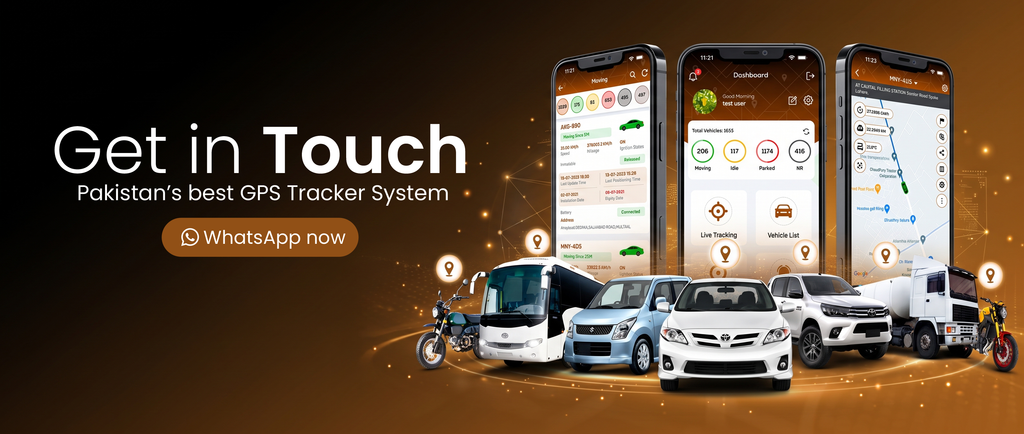
GPS Tracker with Mobile App: How It Works and Key Features
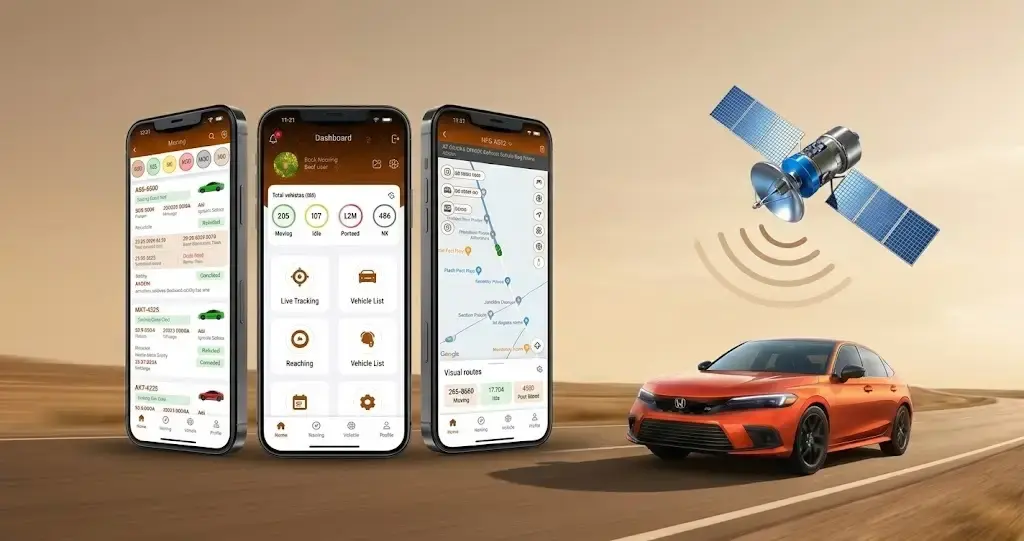
Do you want to know your vehicle’s real-time location without asking the driver? A GPS tracker with a mobile app allows you to see your asset on a map, receive instant alerts, and review past trips through your phone. If you have a car, run a delivery service, or have a large vehicle fleet in Pakistan, understanding how they work helps you choose the right solution and get the most out of it.
This guide will walk you through how a GPS tracker works, what features it has, who it is for, and what to look out for when you buy a smart GPS tracker in Pakistan.

How a GPS Tracker with a Mobile App Works
A GPS tracker is a compact device that is installed on a vehicle or another asset. It performs two primary functions:
1. Obtain the current location of the asset
2. Share the data with you in some way
How the GPS tracker obtains the location is not difficult to understand. The device receives radio signals from satellites and calculates its position on the Earth. Your smartphone does the same thing when you use a digital map.
The second function has multiple ways of being fulfilled depending on the technology and price. Some vehicle GPS trackers use a SIM card with cellular data to upload information about the location to a server. The signal strength depends on the coverage in your area.
After receiving the data, the server stores and organizes it into the required format so that the GPS tracking app can display it on your phone.
In summary, the tracker gets the current coordinates of your vehicle, the network sends it to the server, and the app shows you the result.
Why the Mobile App Matters
The GPS tracker is only responsible for obtaining and sending data, and the app turns it into a useful tool. A good GPS tracking app will let you check the vehicle on a map, receive alerts, go through past trips, and manage multiple assets at the same time. If your tracker comes with a complicated mobile app, the technology and subscription are wasted on data you cannot use.
Core Features of a GPS Tracking App
1. Live Map Tracking
Live map tracking is the ability to see a current position of your asset on a map. Depending on the device and the network, you will be able to see its direction and the timestamp of the last known location. The tracking frequency varies between GPS trackers, so it is a good idea to ask the provider about the update speed.
Live map tracking will help you know where your driver is when they are on the way to their destination. It can also help you respond more efficiently to your customer when they ask about the delivery.
2. Instant Alerts
GPS tracking apps utilize the notification system of your phone to inform you about certain events. Instead of looking at the map and guessing whether the vehicle is moving or not, you will get an alert about the situation that requires your attention. Some of the most popular alerts in vehicle tracking are:
- Ignition on/off
- Speeding
- Driving outside of a designated zone or route
- Movement while the vehicle is supposed to be parked
- Power cut or low battery on the tracker
It is important to note that not all trackers and subscription plans will offer the same features. Take a look at the list of alerts and choose the one that best fits your use case.
3. Route History
Route history is a feature that lets you go over the trips that your vehicle has already completed. In most cases, you will be able to see the route, the duration of the drive, and the places where the vehicle has been stopped. Route history serves multiple purposes including:
- Keeping track of the driver behavior
- Checking the validity of the delivery/pickup time
- Understanding where the vehicle has been spending the most time
- Serving as proof of delivery for your customers
Some GPS trackers offer a longer route history than others, so it is a good idea to clarify the details with your provider.
Benefits for Vehicle Owners in Pakistan
Vehicle theft and unauthorized use are not uncommon in Pakistan. Having a GPS tracker with a mobile app adds an additional level of security and peace of mind.
1. Faster location search
If your vehicle is stolen or you suspect that it is being used without your permission, you will be able to know its approximate location by checking the app.
2. Alerts prevent unwanted activity
In addition to being notified when the vehicle leaves or arrives at a specific destination, you can also receive notifications if a driver turns the vehicle on/off.
3. Family safety
Knowing where your loved ones are during their commute is important in Pakistan. With the GPS tracker, you can see their location in real-time and know when they have arrived at their destination.
4. Driver control
If the driver has a company vehicle, you can use the route history to see how the car has been used.
Although a GPS tracker with a mobile app will not help you recover the vehicle, it will provide you with the valuable information that you might need when dealing with the police.
Benefits for Fleet Managers in Pakistan
In Pakistan, many companies employ numerous vehicles and drivers. Depending on the business, the manager can be responsible for school buses, delivery trucks, or company cars. A GPS tracker with a mobile app offers several benefits to such businesses.
1. Single view of all vehicles
Instead of communicating individually with each driver about the status of the vehicles, the manager can check them all on one map at a certain interval.
2. Efficient vehicle dispatching
If the fleet manager has multiple orders, the GPS tracking app will show them the location of each vehicle so that they can decide which one is the closest to the pickup/delivery point.
3. Driver-friendly GPS tracking
Fleet managers have to work with drivers to reach the destination on time. The tracking app will show the current location of the vehicle as well as its speed. Using these two pieces of information, the manager can help the driver optimize their route and reduce idle time.
4. Reduced paperwork
Route history can become a proof of delivery for the customer in addition to the signature. Furthermore, it can be used in the communication with the drivers as well as internal documentation for the company’s accounting department.
5. Operating cost estimation
Having access to the route history will show the manager where the vehicle spends the most time. This will affect how much money is spent on fuel.
Traffic is especially heavy in big cities such as Karachi and Lahore, and distances between cities are long. For these reasons, a GPS tracker with a mobile app can become a great assistant in everyday operations.
Tips for Choosing the Right Tracking App
A GPS tracker with a mobile app is only as good as the software that comes with it. Before you purchase the tracking device, spend some time researching the app and asking the right questions.
- Test the app: If you are given a demo version, take some time to figure out how to navigate through the interface. How easy is it to locate a vehicle on a map or replay a past trip? How accessible are the alert settings?
- Check compatibility: Make sure that the GPS tracking app is compatible with all the devices that your employees will be using.
- Understand the alerts: Think about what situations require your immediate attention and ask the provider which ones are available in their software. In addition, ask how they are delivered (in-app notifications, SMS, email, etc.).
- Ask about the update frequency: Ask how often the location updates and what factors can influence this interval.
- Check the storage period: Ask how far back you can review the route history. This will help you estimate the value of this feature for your particular use case.
- Assess the scalability: If you plan on adding more vehicles or employees in the near future, make sure that the app will be able to accommodate them.
- Ask about access security: Ask the provider how the access to the location data is managed. Ideally, you should be able to grant or revoke permissions at any time.
- Check the customer support: If possible, use local support to get help with installation, setup, and troubleshooting.
- Understand the overall cost: In addition to the price of the tracker itself, there might be additional costs associated with cellular data, SIM card, or professional installation. Make sure to clarify all the details with your provider.